Meet donors everywhere
Canadian charity and nonprofit directors and fundraisers use donation payments when a lobby tap, a web gift, and a monthly signup should share one donor record. Donors give in different ways, and a charity that watches only one channel misses the others. A guest taps a kiosk at an event. Later that week someone opens an online donation page and gives from a phone. A third person sets up recurring giving and the gift repeats without another visit. Donation payments work when those three land on one donor record: the amount, the date, the channel, and the email. Staff can see that the lobby tap and the monthly gift belong to the same person. A separate spreadsheet for each channel is how names drift apart by year-end. See the channels on donations.
Automate the admin
Charities lose hours on receipts and reconciliation when gifts arrive from a gala, a web page, and a monthly signup. Staff pull amounts off slips, retype names, and send emails one by one. Automated tax receipts issue a receipt from the gift record as soon as the gift is stored, using the amount, the date, and the organization details you saved. Donors get confirmation without waiting on a volunteer. The tool sends the receipt you configure. It does not decide what your charity is allowed to claim. Your organization confirms that wording with its advisor before a public appeal. Staff can then spend the saved time on the mission.
Raise more with campaigns
A general ask with no date sits in an inbox and gets ignored. Run donation campaigns with a goal, a deadline, and a progress bar donors can see move. When a match is real, say so with the same end time on every screen, so a gift at the door and a gift from a phone tell one story. Use contactless donations for the person who will tap in the moment and will not go home to find a checkbook. After the deadline, thank the people who gave and show the result. That follow-up is what turns a short drive into the next gift.
Keep costs low
Processing fees matter to nonprofits because the fee comes straight off the gift before it reaches the program. A small difference on each transaction adds up across a gala, a web appeal, and a year of monthly gifts. Read nonprofit payment processing fees so you can separate the network cost from the processor markup on a real statement, and so you know whether donors can add a small amount at checkout to cover the fee. GiveTree puts kiosk, web, and monthly gifts on one platform instead of three bills you cannot compare. Learn more in the GiveTree overview or book a demo.
A gala that used three ways to give
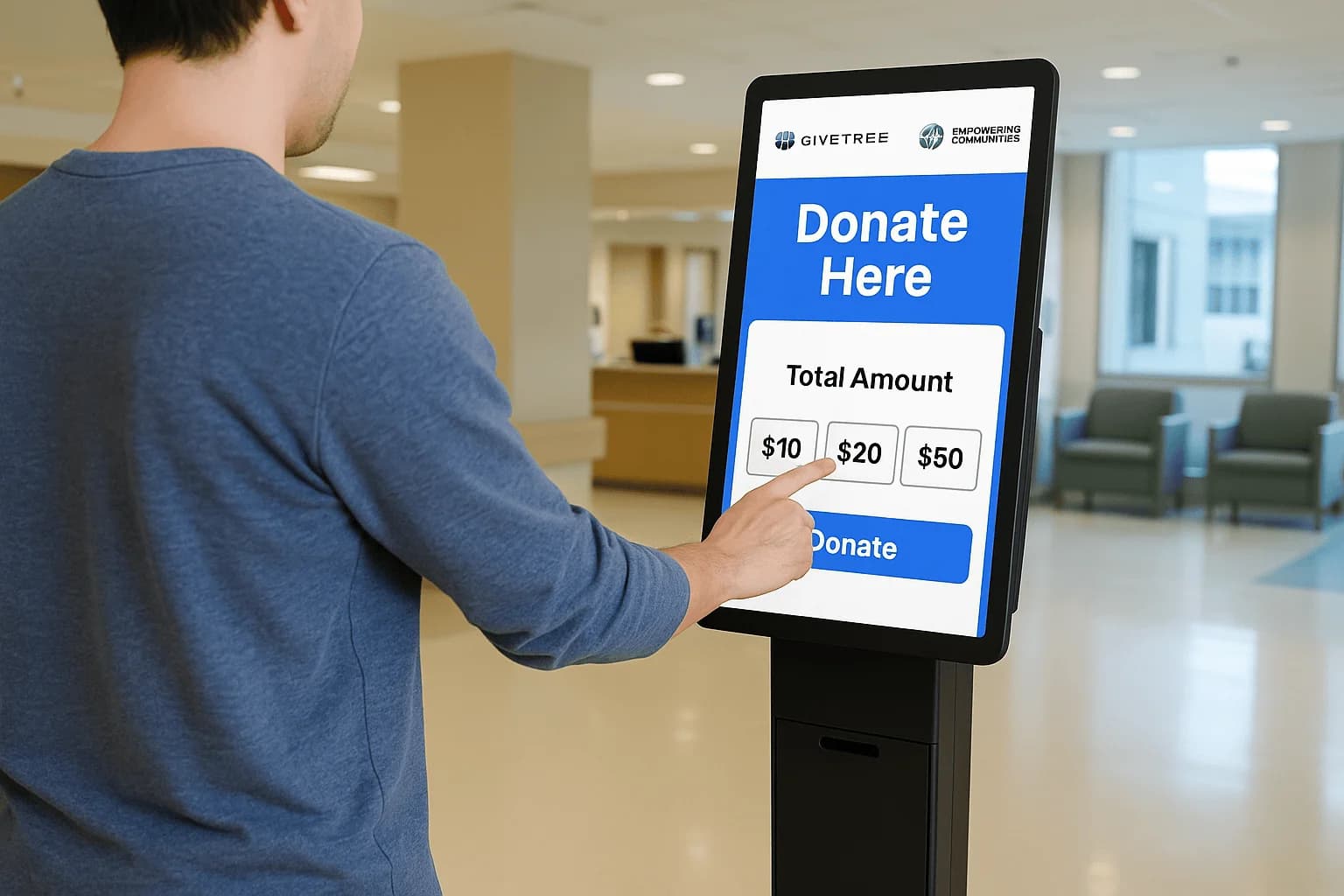
A hospital foundation ran a Saturday gala with a donation kiosk in the lobby, a short link on every table card, and a monthly choice on the online donation page. Guests tapped preset amounts during dinner. People who had already given once later opened the page at home and started a monthly gift. Staff did not retype names from a sign-in sheet.
Each channel wrote to the same donor record, so the lobby tap and the later monthly gift sat together. The team still read the receipt email and confirmed the wording with their advisor before the year-end note went out. The software sends the receipt you configure. It does not decide what your charity is allowed to claim. See the full set of channels on donations.
Walk the floor before doors open
Ten minutes before doors, the event lead and the bookkeeper stood at the kiosk and walked a short list. They tapped one card, one phone wallet, and one card they expected to decline. They read the email that came back, including the receipt text, and set that text aside for the advisor to confirm.
Name a person to watch the campaign total while speeches run, so nobody is guessing from a clipboard. Check that preset amounts on the kiosk match the amounts on the donation page. Confirm a monthly option is visible without a second form. After the room test, run the same taps on the devices you will actually use and book a demo only for the step that failed.